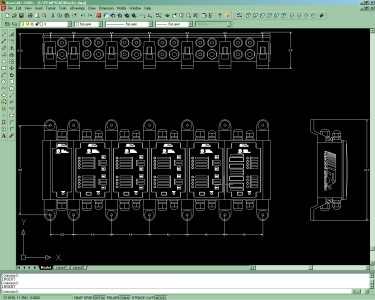
CAD building blocks are provided to allow easy and quick creation of mounting and
installation drawings. The blocks are a collection of basic components from the Chameleon product
in three views in AutoCAD 2D format. Included in the collection are end
caps, half and full-sized enclosures, overlays, and mounting feet.
Click
here
to download a zip file containing the building blocks.
To use the blocks:
Uncompress all the files into the same
folder.
Start AutoCAD and from the menu bar
select Insert, Block.
Click the Browse button and navigate to
the location of the building blocks.
Use the drop-down box and select the
block components to add to the drawing and click OK. Build the
node up from left to right starting with the end cap. For example,
select 'Front View End Cap Left' and insert it into your drawing.
Next, select 'Full Size Front' and move your cursor to upper-right
corner of the end cap to snap the enclosure into place.
Continue building the remainder of your
drawing. See the Chameleon Installation Guide for more information
on how to use the CAD Building Blocks.