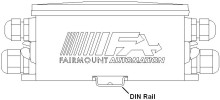
Chameleon Mounting Feet are integral
structural members of a Chameleon node that not only connect the device
to its mounting surface, but also create a fastener that joins adjacent
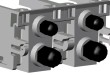
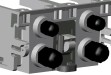
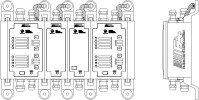
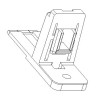
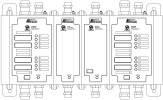
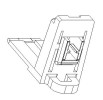
components together. The following illustrations show the insertion
and removal of a mounting foot in the enclosure:
Adjacent enclosures form
a 'socket' to accept the mounting
feet.
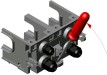
A foot
is installed by sliding
it into the socket until it snaps in place.
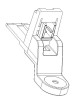
Use
a slotted screw driver and apply a prying action to remove the feet.
There are three different types of mounting
feet available: DIN rail, shock and vibration, and surface mount.
Each are described below.
Fairmount Part Number
Description
21027-000
Chameleon DIN-Rail Mounting
Foot
Shock and Vibration Feet
These feet are recommended when the device will be exposed to significant
levels of shock or vibration. Use these mounting feet when MIL-STD 901D and/or MIL-STD 167B
qualification are required.
Fairmount Part Number
Description
21027-001
Chameleon Shock and Vibration Mounting
Foot
Surface Mount Feet
Use the surface mount feet when attaching to a flat surface such as a wall
or a plate. Mix these feet with din-rail feet as desired to reduce the
number of mounting locations (note the example enclosure on the left only
uses four surface mount feet -- the remainder are din rail feet.)
Fairmount Part Number
Description
21026-000
Chameleon Surface Mounting
Foot
DIN Rail Mounting Feet
Chameleon enclosures can mount to standard 35mm DIN Rail (EN 50022, BS 5584) along the center back
surface of the enclosure. When installed, the tips of the mounting
feet grab the rail and hold the enclosure down.